Google Calendar vs AI-Powered Booking: What Every SME Needs to Know
Is your booking tool just recording appointments, or is it actively helping you win, retain, and grow client relationships? Discover why Google Calendar costs SMEs 15–25 hours per week in lost time and up to 34% in no-shows — and how an AI-powered booking system turns appointments into a 24/7 revenue engine.
Key Takeaway for Business Owners
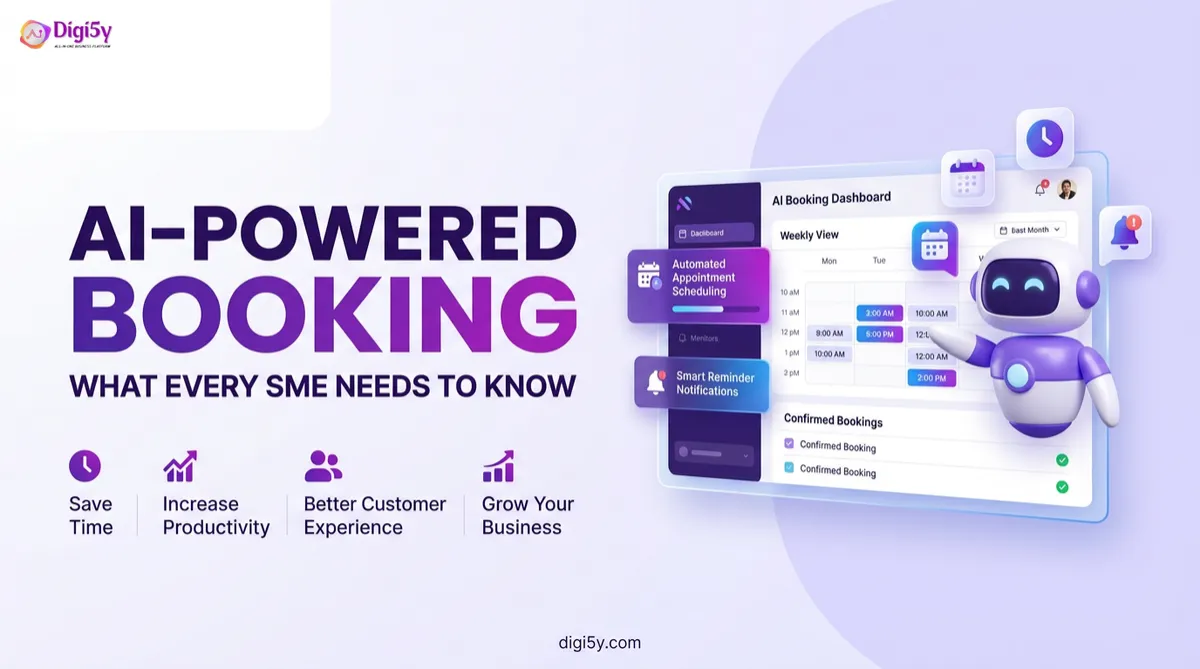
Google Calendar is one of the most polished personal productivity tools in the world, but it was never built to be a business revenue engine. Relying on basic calendars causes SMEs to lose 15–25 hours per week in manual scheduling and suffer up to 34% no-show rates. An integrated AI-powered booking system automates 24/7 self-service scheduling, multi-touch SMS/WhatsApp reminders (cutting no-shows down to 3%), pre-appointment intake forms, real-time CRM updates, automated no-show recovery, and post-session review requests — turning appointments from isolated events into automated growth engines.
There is nothing wrong with Google Calendar. But is your booking tool just recording appointments, or is it actively helping you win, retain, and grow client relationships?
The gap between basic scheduling and a full AI booking engine — moving from passive diary entries to active client acquisition.
The Tool That Served You Well — But Not Well Enough
There is nothing wrong with Google Calendar. It is one of the most polished, widely used productivity tools in the world. For managing your personal schedule, blocking focus time, and sharing availability with colleagues, it works brilliantly.
But here is the honest question every SME owner needs to ask: Is your booking tool just recording appointments, or is it actively helping you win, retain, and grow client relationships?
Because those are two completely different things. A calendar stores events. An AI-powered booking system captures leads, sends automated confirmations, fires multi-touch reminders, eliminates no-shows, triggers follow-up sequences, feeds data into your CRM, and generates reviews — all without a single manual input. One is a diary. The other is a revenue engine. And the gap between them is wider than most SME owners realise.
The Hidden Cost of 'Good Enough' Scheduling
Most business owners do not think of their calendar tool as a growth lever. But consider what happens every time a client books an appointment through a basic calendar setup:
- The booking is recorded manually by the owner or via a static shared link.
- A confirmation email is sent only if someone remembers to draft and send it.
- The client shows up or does not — and you only find out when they miss the appointment.
- Notes from the session are stored haphazardly in a paper notebook or disconnected spreadsheet.
- Follow-up happens days later only if the owner has spare time and remembers.
- A Google review is requested almost never, because it is yet another manual chore.
Every gap in that chain is a revenue leak. The average SME loses 15 to 25 hours per week to manual tasks that a modern AI business system handles automatically. Scheduling, confirmations, reminders, follow-ups, and review requests account for a significant portion of that waste.
⏱️ Time & Revenue Drain
15 to 25 hours wasted every week
When scheduling, intake, and confirmations are manual, your most valuable team members spend hours acting like switchboard operators instead of delivering high-margin client work.
What Google Calendar Does Well — And Where It Stops
Google Calendar has undeniable strengths that make it an exceptional personal organiser:
- Free and easy to use across web and mobile platforms.
- Shareable with team members and syncs instantly across all personal devices.
- Integrates cleanly with Gmail, Google Meet, and the Google Workspace suite.
- Supports basic event reminders via email or mobile push notification.
- Creates a clean visual timeline of your day and week.
- Accessible anywhere with a modern web connection.
Where Google Calendar Stops and Your Business Starts Losing
When you inspect what an SME actually needs to convert and retain clients, Google Calendar's limitations become glaring:
- Online self-booking by clients: Manual entry required vs. a 24/7 self-service interactive booking page.
- Instant booking confirmation SMS: Not available vs. automatic branded SMS & email on every booking.
- Multi-touch reminder sequence: Single generic reminder only vs. SMS and email at 48h, 24h, and 2h.
- No-show follow-up automation: Manual chasing required vs. an automated re-engagement workflow.
- Pre-appointment intake forms: Not available vs. questionnaires sent automatically upon booking.
- CRM contact creation on booking: Not connected vs. every booking creating and updating a live CRM profile.
- Post-appointment review requests: Not available vs. automated review prompts sent right after the session.
- Lead nurture after booking: Not available vs. automated email and WhatsApp nurture sequences.
- Payment collection at booking: Not available vs. integrated deposit taking and full payment processing.
- AI voice agent to take bookings: Not available vs. 24/7 inbound AI phone call booking.
- Analytics on bookings and revenue: Not available vs. real-time conversion and attendance dashboards.
The gap is not a minor feature difference. It is the difference between a passive scheduling tool and an active revenue-generating business system.
What an AI-Powered Booking System Actually Does
A fully integrated AI-powered booking system is the commercial booking infrastructure of a modern, automated SME. It connects every touchpoint from first enquiry to post-appointment revenue automatically across seven core capabilities:
1. Self-Service Online Booking 24/7
Clients and prospects can book directly from your website, landing page, social media profile, or a link in your email signature at any time of day or night, without calling or emailing. The booking page displays real-time calendar availability. The client selects their preferred slot, and the appointment is instantly confirmed with zero staff involvement.
For businesses that still require prospects to call or email to book, every missed call and delayed reply is a lost booking. An AI booking system captures every single opportunity on autopilot.
2. Instant Automated Confirmations
The moment a booking is made, a confirmation fires automatically via SMS and email. The client receives a professional, branded confirmation with appointment details, location or video link, and any preparation instructions immediately. This instant feedback reassures the client and eliminates the uncertainty of wondering whether their booking went through.
3. Multi-Touch Reminder Sequences
Rather than a single generic calendar ping, an AI booking system deploys a structured, psychological reminder sequence designed to protect your schedule:
- 48 hours before: Warm email or SMS reminder confirming details and expressing excitement to meet.
- 24 hours before: Reminder with a 1-tap reschedule link so clients can easily adjust rather than simply no-showing.
- 2 hours before: Final concise SMS nudge confirming the appointment time and directions or video room.
📉 Proven Result
No-show rate dropped from 34% to 3%
A healthcare clinic implementing automated SMS and WhatsApp reminders at 48h, 24h, and 2h saw no-shows plummet from 34% down to just 3%, recovering 18 additional completed client appointments every single week.
4. Pre-Appointment Intake Forms
Before a client arrives, they receive an intake questionnaire automatically. For a consultant, this captures agenda topics and business size. For a clinic, it collects medical history. For a coach, it gathers goals and background. The appointment begins with full context, making it vastly more valuable for the client and far more efficient for the practitioner.
5. Native CRM Integration: Every Booking Builds Your Database
Every booking automatically creates or updates a contact record in the CRM. The client's name, email, phone number, appointment type, acquisition source, and session notes are all stored in one central profile, linked to their full lifecycle across every future interaction. A basic calendar has no memory. An AI booking system builds an invaluable business database with every single slot.
6. No-Show Follow-Up Automation
When a client misses an appointment, the system detects the absence automatically and triggers a warm recovery sequence:
- An SMS fires within 30 minutes with an empathetic message and a direct 1-tap rebooking link.
- If no response within 24 hours, a follow-up email fires with available dates.
- If still no response after 3 days, a team task is created for high-touch personal outreach.
No-shows are no longer dead ends. They become automated recovery opportunities with a significant percentage converted back into completed appointments without manual effort.
7. Post-Appointment Review Requests and Follow-Up
The booking journey does not end when the appointment concludes. An AI system triggers the post-appointment flywheel automatically:
- A thank-you message fires within 2 hours of session completion.
- A 5-star review request fires at the moment of highest satisfaction with direct Google or Facebook links.
- An upsell or next-session rebooking prompt fires 7 days later.
- A re-engagement sequence activates if the client has not rebooked within 30 days.
The Full Automated SME Booking Journey: 6 Connected Stages
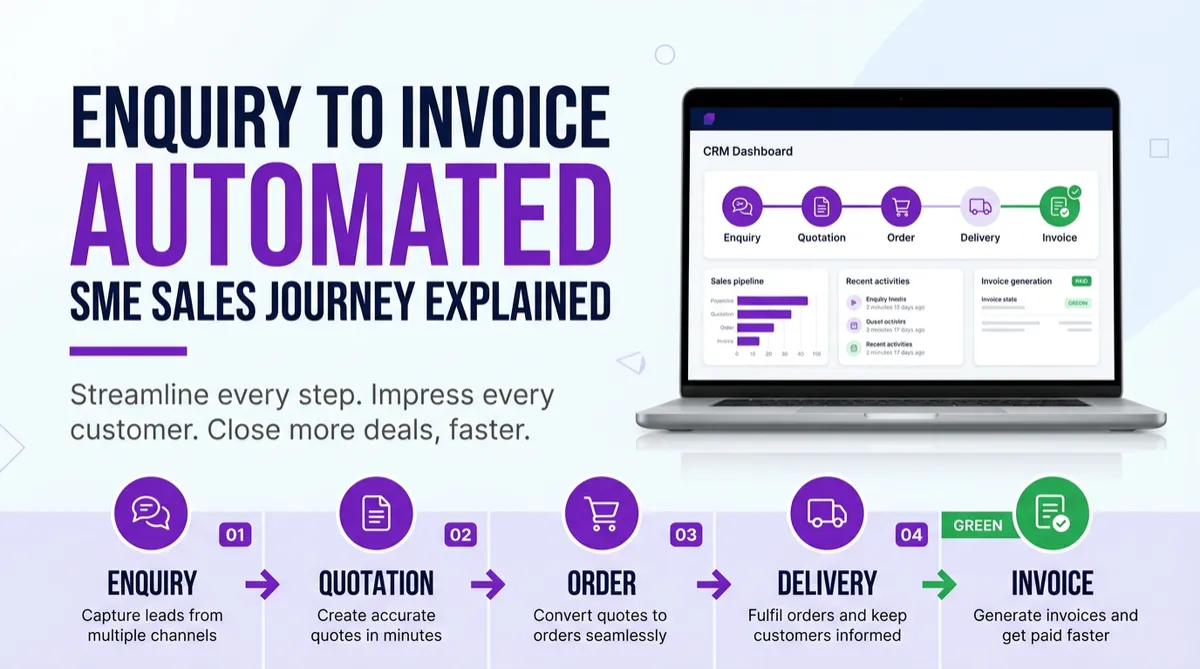
Here is how the end-to-end booking journey flows on autopilot inside an integrated AI CRM:
- Stage 1: Enquiry arrives via web form, social DM, inbound call, or WhatsApp. The AI agent qualifies the lead and sends an interactive booking link instantly.
- Stage 2: Client self-books. Confirmation SMS and email fire immediately. The CRM contact is created and updated automatically, and an intake form is dispatched within minutes.
- Stage 3: Reminder sequence activates. 48-hour reminder with reschedule option, 24-hour email briefing, and 2-hour final SMS nudge.
- Stage 4: Appointment happens. Session notes are logged directly into the CRM contact record by the team member.
- Stage 5: Post-appointment automation kicks in. Thank-you message within 2 hours, Google review request at 24 hours, rebooking prompt at 7 days, and automated re-engagement at 30 days if no rebooking.
- Stage 6: Real-time business intelligence. The analytics dashboard updates booking volume, show-up rates, revenue per slot, and acquisition source performance in real time.
Who Loses the Most by Sticking With a Basic Calendar?
The businesses that lose the most revenue by relying on a basic calendar tool are those where appointments are the primary revenue mechanism:
- Healthcare, Clinics & Allied Health: Every empty slot is lost revenue that can never be recovered. Every missed review request is a lost Google ranking position.
- Spas, Salons & Beauty: Repeat appointments are the lifeblood of cash flow. Without automated re-engagement, past clients quietly drift to competitors.
- Coaches, Consultants & Trainers: Intake forms, session follow-ups, and recurring booking prompts make the difference between a one-off fee and a six-figure client relationship.
- Real Estate & Property Agencies: Viewing appointments, valuation meetings, and follow-up calls managed manually create dropped balls that lose commission.
- Trades & Home Services: Job visits, quote appointments, and post-job review requests handled manually leave massive revenue and reputation on the table.
- Gyms & Fitness Studios: Class bookings, PT sessions, and membership renewals all benefit dramatically from automated reminder and attendance tracking systems.
The 7 Non-Negotiables of a Business Booking System
Before settling on your scheduling tool, evaluate it against these seven essential pillars:
- 1. 24/7 Self-Service Booking: Prospects must be able to book without waiting for business hours or staff replies.
- 2. Automated Multi-Touch Reminders: A single calendar alert is insufficient; SMS and email sequences at 48h, 24h, and 2h reduce no-shows by 30% to 40%.
- 3. Native CRM Integration: Every appointment must create or update a persistent contact profile.
- 4. Automated No-Show Recovery: The system must proactively follow up on missed appointments within minutes.
- 5. Pre-Appointment Intake: Gathering client info in advance ensures high-value sessions and builds early trust.
- 6. Post-Appointment Sequences: Automated review requests and rebooking prompts must fire after every session.
- 7. Analytics and Attribution: Real-time visibility into booking volume, show-up rate, and revenue by channel.
- 24/7 Self-Service Booking: ❌ Manual entry required
- Multi-Touch SMS Reminders: ❌ Not supported
- Native CRM Integration: ❌ No contact database
- No-Show Recovery Automation: ❌ Manual chasing only
- Pre-Appointment Intake Forms: ❌ Not available
- Post-Appointment Review Requests: ❌ Not available
- Real-Time Revenue Analytics: ❌ No reporting
- 24/7 Self-Service Booking: ✅ Native interactive booking page
- Multi-Touch SMS Reminders: ✅ SMS, WhatsApp & email at 48h, 24h, 2h
- Native CRM Integration: ✅ Full contact profile & history
- No-Show Recovery Automation: ✅ 30-min auto recovery workflow
- Pre-Appointment Intake Forms: ✅ Dispatched automatically on booking
- Post-Appointment Review Requests: ✅ Google & Facebook review triggers
- Real-Time Revenue Analytics: ✅ Live dashboards and source tracking
Real SME Results: The Impact of Upgrading
"Setting up automated SMS and WhatsApp reminders at 48h, 24h, and 2h before appointments dropped our no-show rate from 34% to 3%, recovering 18 additional completed appointments every single week."
Additional case studies highlight the transformational nature of this shift:
- ProShield Home Services, Austin TX: Implemented automated booking, review requests, and follow-up sequences. Monthly booking volume increased by +67% from new digital lead channels, while their Google review rating climbed to 4.8 stars.
- Iron Collective Fitness, Jakarta: AI re-engagement system called members who had not visited in 14 days. Re-engagement rate hit 38%, and monthly member churn dropped from 11% to 6.2%.
- Glow Beauty Studio, Melbourne: Implemented AI chatbots, appointment automation, and SMS reminders. Results: +240% monthly leads captured, -78% no-shows, and 22 hours per week saved across the staff.
The Calendly Comparison: Why Booking-Only Tools Still Fall Short
Many SME owners switch from Google Calendar to standalone scheduling tools like Calendly. While Calendly is a genuine step forward for simple link-sharing, it remains a point solution that falls short of an integrated AI CRM booking engine:
- Self-service booking: Available in both tools.
- Email confirmations: Available in both tools.
- SMS reminders: Paid add-on in Calendly vs. natively included in DIGI5Y.
- WhatsApp reminders: Not supported in Calendly vs. native in DIGI5Y.
- CRM contact creation: Requires third-party Zapier sync in Calendly vs. 100% native in DIGI5Y.
- No-show follow-up automation: Not available in Calendly vs. built-in workflow in DIGI5Y.
- Post-appointment review requests: Not available in Calendly vs. automatic Google review trigger in DIGI5Y.
- Long-term lead nurture sequences: Not available in Calendly vs. multi-channel campaigns in DIGI5Y.
- AI voice phone agent booking: Not available in Calendly vs. 24/7 conversational phone booking in DIGI5Y.
- Full revenue analytics: Basic booking counts only vs. complete revenue and ROI dashboard in DIGI5Y.
Common Mistakes SMEs Make With Booking Systems
Avoid these four costly misconceptions that hold businesses back from scaling:
- Thinking Google Calendar is free so it costs nothing: The true cost of a free tool is the revenue lost from what it cannot do. Every empty slot not filled, every no-show not prevented, and every review not requested represents hundreds of dollars lost.
- Believing clients only prefer calling: Many do, but many abandon when calls hit voicemail. An AI voice booking agent answers every inbound call 24/7 and books directly into your calendar — capturing both callers and self-bookers.
- Assuming staff can handle follow-ups manually: Manual follow-up works only until the business gets busy. When inquiry volume spikes, consistency collapses. Automation is consistency by design.
- Accepting 'it has worked fine for years': 'Fine' is the enemy of growth. When competitors deploy automated booking, instant confirmations, and automatic review requests, they capture market share silently while you rely on manual habits.
Frequently Asked Questions
Can an AI booking system replace Google Calendar entirely?
An AI booking system handles the client-facing booking flow, automations, CRM integration, and analytics. Most AI CRM booking systems also sync two-way with Google Calendar so your personal schedule remains visible alongside business bookings. You get the best of both worlds.
Is an AI booking system difficult to set up?
No. Modern AI CRM booking systems are designed for non-technical business owners. Core booking calendar setup takes 1 to 3 hours, and most businesses are fully operational with complete reminder and follow-up workflows within 7 to 14 days.
What happens if a client needs to reschedule?
The automated reminder sequence includes a 1-tap reschedule link. When a client clicks it, they are taken directly to the booking page to pick a new slot. The calendar updates automatically, a fresh confirmation fires, and the reminder sequence resets without staff intervention.
Can an AI booking system handle multiple team members and locations?
Yes. Round-robin, collective, and individual team calendars are fully supported. Bookings can be intelligently routed based on service type, staff expertise, location, or availability, all monitored in one central admin view.
Do clients need to download an app to use AI booking?
No. Clients book effortlessly through a standard mobile or desktop web browser. No apps, downloads, or logins are required at any stage.
How does the AI voice agent handle booking calls?
The AI voice agent answers inbound phone calls with natural, professional conversation. It greets the caller, checks real-time calendar availability, answers service FAQs, locks in the booking, and dispatches a confirmation SMS — all within a single live call.
What is the typical impact on no-show rates after implementing AI booking reminders?
Businesses that implement automated multi-touch SMS, WhatsApp, and email reminder sequences typically see no-show reductions of 30% to 40% within the first 30 days.
Is there a free trial available to test an AI booking system before committing?
Yes. DIGI5Y offers a 14-day free trial on the Pro plan with no credit card required, granting immediate access to the full booking system, CRM, and automation sequences.
📌 Key Takeaways
Your calendar is not your strategy
Google Calendar is a personal diary. An AI booking system is a revenue engine. Automating self-booking, 48h/24h/2h reminders, and post-session follow-ups eliminates 15–25 hours of weekly admin while cutting no-shows by 30–40%.
The tools that got you started are not the tools that will scale you. Upgrading from a basic calendar to an automated AI booking system turns every empty slot into captured revenue, frees your team from administrative fatigue, and delivers a flawless client experience 24/7.
Read Next: Popular Growth Playbooks
Get the AI Edge Delivered Weekly.
Join 12,000+ founders and operators getting our freshest business automation software playbooks, AI employee agents news, and revenue-boosting hacks — straight to your inbox. No fluff. Just growth.